Valence
Friends alpha · Windows

Make getting better
dead simple.

Valence reviews your matches, helps you choose one thing to work on, and counts how often it happens, match after match. VALORANT is in the alpha now, League of Legends is on the way, and Deadlock is next.

Download for Windows How it works Friends alpha, invite only
Valence's Today page for VALORANT, showing sample data, marked Sample data. It reads: Your focus, nothing locked in yet. Pick one thing to work on. Look through what Valence counted in your matches and lock in the one you want to work on. Valence doesn't pick it for you. Below are made-up recent matches and a calibration panel.
Sample data. Today in the current Valence app, showing a made-up VALORANT match history.

Your focus · one at a time

As easy to read as your rank bar.

The small stuff is hard to see from one match. Valence does the counting across your matches, so you don't have to.

Pick one thing Valence measures and make it your focus. After each match, Valence tracks how often it happened, compared across similar matches. Until there's enough to go on, it tells you it's too early to tell.

It looks across your matches, not at one game, so a single bad night doesn't swing it. A count is something to look at, not a verdict on how you play.

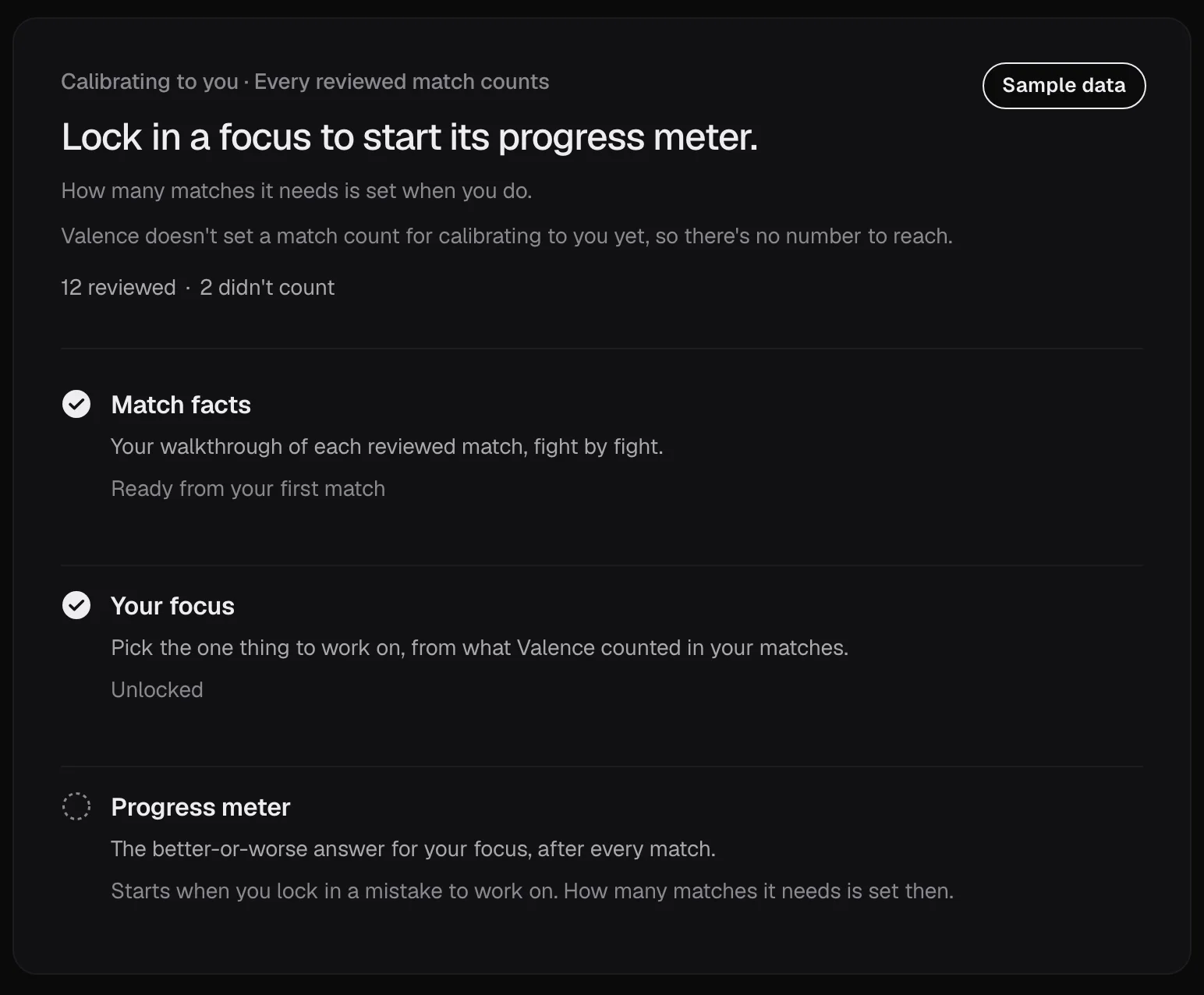
Valence's Calibration card, showing sample data, marked Sample data. It lists three steps: match facts, ready from your first match; your focus, unlocked; and the progress meter, which starts when you lock in a mistake to work on.
Sample data. Valence says what it still needs before it can answer, instead of guessing.

How it works

Play the way you already do. Valence does the counting.

  1. Play your matches

    Download a match's replay in VALORANT and Valence imports it. Each match it reviews gets its own page. League works from Riot's match data once it reaches the Windows app.

  2. Choose one thing

    Valence lays out what it counted across your matches, with the moments each one showed up. You lock in the one you want to work on. Valence doesn't pick it for you.

  3. Follow the count

    Each new match adds to your focus's count, compared across similar matches. Until there's enough evidence, Valence says it's too early to tell. Switch focus whenever you like.

Games

The same simple loop in every game, with what Valence measures built for each one.

In the alpha

VALORANT

Reads your replays fight by fight and counts what keeps showing up across your matches. Lock one in as your focus and follow how often it happens from match to match.

Works from your VALORANT replays. When Valence can't read a game version yet, it says so on that match.

Planned for Windows

League of Legends

In development, and not in the Windows app yet. League review reads your ranked solo matches from Riot's match data, starting with what Riot records, like CS at 10 and deaths before 15. Each number shows only once Valence has checked it reads it right.

NA ranked solo first. A League focus comes once Valence has checked what it would tell you.

Coming soon

Deadlock

Next on the list. Valence can't read Deadlock matches yet.

Honest by design

The worst thing a coach can do is send you to fix something that was never the problem.

It says only what it has checked

Valence is built to check that a number measures what it says before showing it to you. When the evidence is thin, it tells you it can't say yet.

You against you

Every number is about your own matches. Valence never ranks you against other players.

Straight from the match

The numbers come from your replays and from what Riot recorded. Nothing is entered by hand.

Your call

Valence shows you what it found. What you work on, and when you move on, is up to you.

Valence is in a small friends alpha.

It runs on Windows and the alpha is free. If you've been invited, start at the download page.

Go to download